Multiple Document Interface (MDI) host with plugin-based, dockable window system.
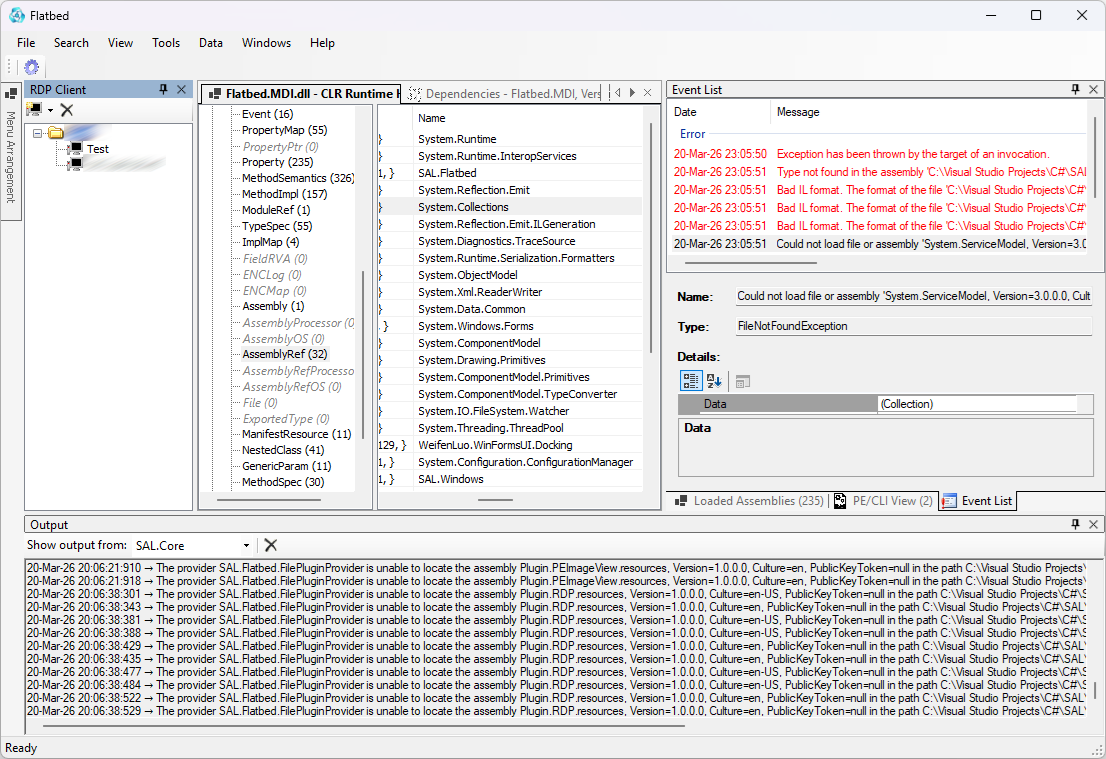
Overview
Flatbed.MDI is a WinForms application shell providing a modern MDI experience across .NET Framework 3.5 and .NET 8 targets. It hosts dynamically loaded plugins that expose UI panels, tool windows, and kernel functionality. The layout (position, docking, auto-hide state) of all windows is persisted and restored between sessions.
Key Features
- Multi-targeting: .NET Framework 3.5 and .NET 8 (windows desktop)
- Plugin architecture with automatic discovery and kernel selection
- Dockable panels using WeifenLuo WinForms DockPanel Suite
- Window layout persistence (per-plugin window identity + settings string)
- DPI awareness (optional) and per-user settings persistence
- System tray integration (minimize / restore / exit)
- Output and Events built‑in panels
- Centralized trace logging via TraceSource
Architecture
MainForm initializes the host (HostMdi) which loads plugin assemblies, creates plugin windows via WindowControl wrappers, and manages docking. Each WindowControl exposes:
- Caption / icon management
- Event pass-through + custom Shown/Closing/Closed events
- Persist string generation (plugin id + control type + optional serialized settings)
Plugins implementing kernel interfaces can provide application name \& icon overrides. Settings are stored under a configurable path and serialized per plugin window.
Window Persistence
DockPanel layout is serialized to an XML file (see Constant.File.DockPanelFileName). Each window provides a persist string that allows accurate recreation of plugin windows with their prior state and settings.
Build
Use standard dotnet build or Visual Studio. All dependencies for docking must be restored (WeifenLuo.WinFormsUI.Docking). Target frameworks configured in the project file.
Usage
- Start the application.
- Plugins are loaded; default kernel plugin can be overridden via args or settings.
- Arrange windows; on close the layout and settings are saved.
- Use tray icon to minimize/restore when running.
Extending
Implement IPlugin and (optionally) IPluginSettings / IKernelInfo. Provide a UserControl as the visual surface. The host wraps the control in WindowControl and manages docking + persistence.
Logging
TraceSource (Program.Trace) is used for diagnostic output. Add listeners via app.config or TraceConfiguration (NETCOREAPP).
License
TBD
Status
Early host shell core prepared for plugin integration and UI docking.